
Even those who don’t have reading difficulties will be able to understand a blog article thanks to accessibility. As a blogger, I need to consider those with hearing loss, low vision, blindness, and other disabilities as listed on the ADA (link here) in order to make my site more accessible to everyone. I need to support all audiences by labeling all links and buttons, using appropriate font throughout, choosing a dark font that is easy to read against a light background, including alternative text for photos, and using appropriate headings.
Content that has been divided up into smaller chunks may be easier to read.
Users can better understand the pages they’re viewing with the help of clear headings, which in turn helps improve web accessibility. To make your blog more accessible to everyone, it’s helpful to label images and use appropriate headlines.
For instance, when I previously designed a website for a woman who is partially blind, I made sure to use large letter sizes throughout—nothing too small that she wouldn’t be able to read. Instead of brilliant white, she preferred a light gray tint beneath the words. Buttons and links, as well as images and videos, needed to be a large size. In order for those with vision problems to be able to access the website, everything has to be easy to see and read.
Additionally, take users with hearing impairments in mind when producing videos. The audio should be high quality, and subtitles are helpful; I often try to create my videos with subtitles in them.

Using labels in design is extremely important.
I communicate with people who don’t speak my language on a daily basis so I always message clients in both Spanish and English. Everything in the classroom must be labeled in both Spanish and English, and forms and paperwork are distributed in both languages as well. All must be included in our classroom for fairness and equality. Because accessibility is so essential, I need to include it into every position I have.
My daughter and I visited the city over the weekend, and trying to use the subway with her was not a pleasant experience.
Wheelchairs and strollers are not expected on the subway system. I found it really difficult to carry the stroller up and down the steps. Since I couldn’t carry a toddler and all my baggage by myself, I ultimately had to spend the extra money to use an uber. Additionally, a few subway stops were closed when I finally arrived there. Nothing to inform me was posted above. This was another significant accessibility design flaw that I personally encountered.
I was shocked to learn from Sinéad Burke’s TedTalk on “Why design should embrace everyone” (link here) that she frequently forgets she is a little person and that it’s society and the real world that serve to remind her of this. As someone who is very tall and has never had to experience what Sinéad does on a daily basis, I found Sinéad’s TedTak to be the most impressive because of her ability to adapt to her surroundings.
Even the simplest things, like a chair, an item of clothing, or a coffee shop, have a negative affect on her. She is unable to even use the restroom because it was built with wheelchair users in mind. However, it’s still not accessible to everyone.
Burke brings hand sanitizer with her every day because the hand dryer and sink soap dispenser are both out of her reach. This woman struggles more than other people do on a regular basis over things as easy as getting a cup of coffee and many other things.
It’s crazy how people have to adapt to their surroundings in order to live in today’s society and physical world. A person’s dignity and human rights can be upheld through design, and it can also help us feel like we belong to the world.
But what if not everyone feels this way? A group may become vulnerable through design if their needs aren’t taken into consideration. We need to consider who we are failing to design for and how we may make their lives better.
As Sinéad Burke said, “Creating design carries a great deal of duty and privilege.”
Please feel free to look at my previous blogs to see what changes I made to make mine more accessible!
Works Cited
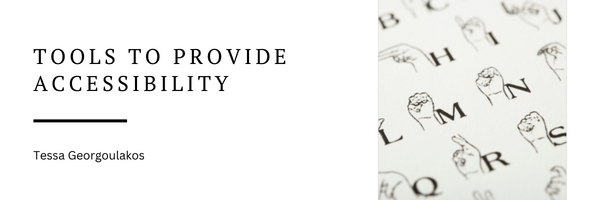
Close-up of a Sign Language Book by Shannon Fagan on Canva Pro – Permitted Uses of All Content on Canva #2 https://www.canva.com/policies/content-license-agreement/
ADA, Disabilities. “Introduction to the Americans with Disabilities Act.” ADA.gov, 22 Nov. 2022, https://www.ada.gov/topics/intro-to-ada/.
Burke, Sinéad, director. Why Design Should Include Everyone. Sinéad Burke: Why Design Should Include Everyone | TED Talk, TEDNYC, 21 June 2017, https://www.ted.com/talks/sinead_burke_why_design_should_include_everyone?referrer=playlist-designing_for_disability&autoplay=true. Accessed 23 Nov. 2022.
Holly, x. “10 Ways to Make Your Blog Accessible for People with a Visual Impairment.” Life of a Blind Girl, 19 Sept. 2018, https://lifeofablindgirl.com/2018/09/19/10-ways-to-make-your-blog-accessible-for-people-with-a-visual-impairment/.
 Tech with Tess